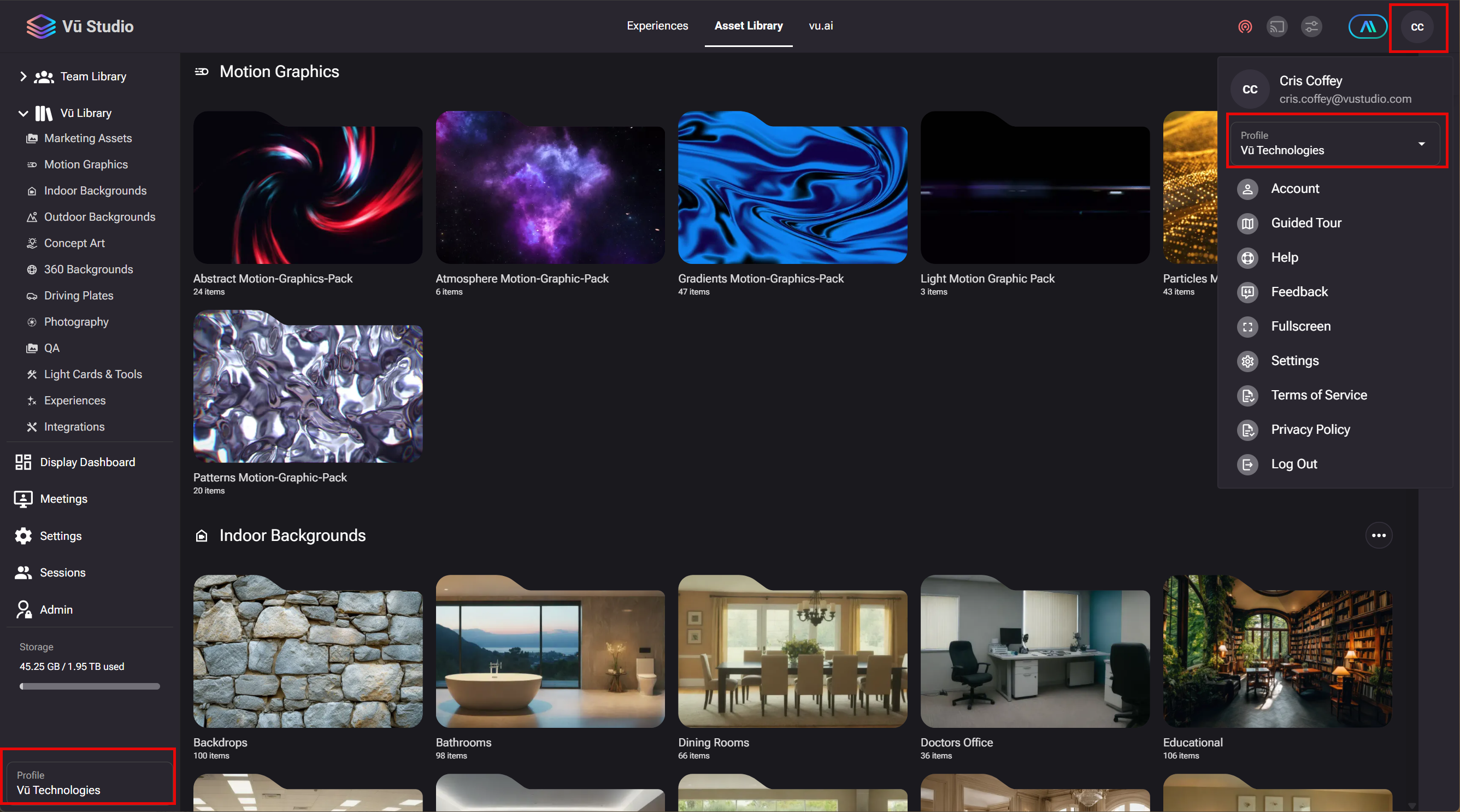
When upgrading to a Team Plan, that profile must be selected to begin using those resources.
When upgrading to a Team plan, the Personal plan remains active, but a new option is added to the account which allows a toggle back and forth between the Personal plan and the Team plan.
The Profile selector can be found inside the Account Profile menu at the top right or at the bottom left of the application. When switching over to a Team profile, users can then take advantage of the sharing, storage and token features of the Team. See attached screen shot for profile selector locations.
When a different profile is selected, that information is stored and remembered on the next login.